
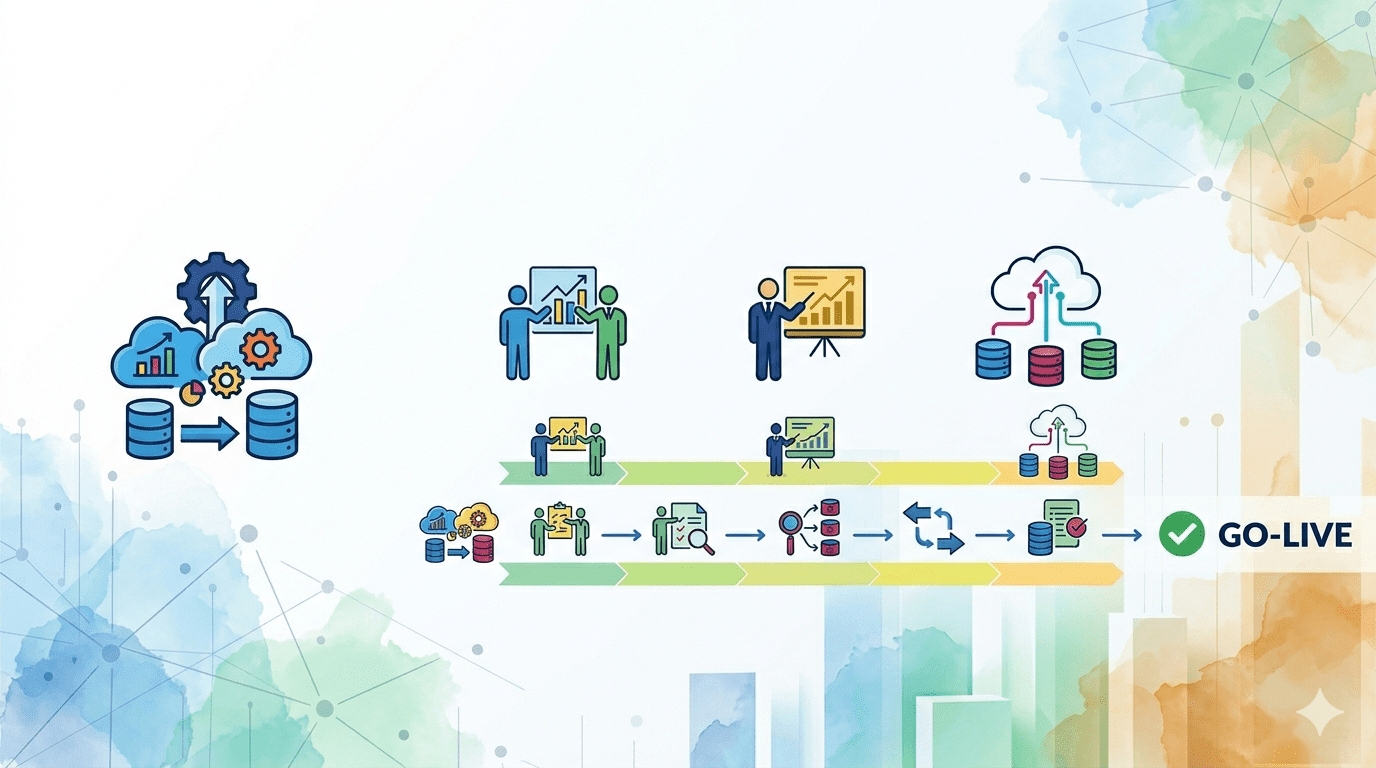
Data migration is the part of a Yardi implementation that organizations most consistently underestimate. It is technical, detail-heavy, and not visible to most people on the project team until something goes wrong. When it goes well, it is invisible. When it goes badly, the consequences show up months later in incorrect financial statements, disputed tenant balances, and missing records that you cannot prove ever existed.
This guide covers what data migration in a Yardi implementation actually involves, what the most common failure points are, and how to protect the integrity of your data through the process. Whether you are moving from a spreadsheet-based system, from AppFolio or Buildium, or from a legacy platform that has been running for a decade, the principles are the same.
What Data Actually Needs to Be Migrated
Before discussing how to migrate, it is worth being specific about what needs to move. A complete Yardi migration covers several distinct data categories, each with its own complexity and risk profile.
Property and Unit Data
This includes every property in your portfolio with its full address, unit count, unit types, and associated identifiers. It also includes unit-level details: square footage, bed and bath count, current rent, amenities, and any lease-specific characteristics. This data is typically the cleanest in most organizations because it changes infrequently and is usually well-maintained.
Tenant and Contact Records
Every current tenant needs a complete record in Yardi: full legal name, date of birth if on file, contact information, emergency contacts, and any co-applicant or guarantor information. Former tenants from recent years may also need to be migrated depending on your reporting and legal hold-time requirements.
Lease Data
Lease records are among the most complex to migrate correctly. Each lease needs its start date, end date, monthly rent amount, security deposit amount, lease type, any recurring charges beyond base rent, and the current lease status. For portfolios with a long history, you may also have older historical lease records that need to be preserved even if the tenants are no longer current.
Financial Transaction History
This is typically the largest data category and the one with the most risk. Transaction history includes every rent payment received, every expense recorded, every security deposit collected and held, every owner disbursement made, and every fee applied. The further back in history you want to migrate, the more data there is to clean, map, and validate.
Most organizations migrate a full 12 to 24 months of transaction history. Older history is sometimes archived rather than migrated, particularly if the legacy system is being retained in read-only mode for reference purposes.
Documents
Lease agreements, inspection reports, notices, and other documents associated with tenants and properties can typically be migrated as attached files in Yardi. The volume of document migration varies enormously between organizations, and the technical process is distinct from structured data migration.
The Migration Process: Four Stages
Stage 1: Data Extraction
The first step is getting your existing data out of its current home in a format that can be worked with. Modern property management platforms like AppFolio and Buildium provide data export functionality, typically in CSV format. Legacy systems may require custom extraction scripts or vendor assistance. Spreadsheet-based systems require manual organization before the data can be processed.
The extraction stage often reveals data quality issues for the first time. Tenant names with inconsistent spelling across records. Lease dates that do not match transaction history. Properties with duplicate records from a system migration years ago. Identifying these issues at the extraction stage is valuable because it is cheapest to fix them here.
Stage 2: Data Cleaning and Transformation
Extracted data almost never migrates directly into Yardi without preparation. It needs to be cleaned, which means resolving inconsistencies, filling gaps where required fields are missing, and removing duplicate or invalid records. It also needs to be transformed, which means restructuring it to match Yardi’s data model and field requirements.
This is the most time-intensive stage of a migration project, and the one most directly influenced by the quality of your existing data. A clean, well-maintained dataset from a single organized system can be prepared in days. Data spread across multiple legacy platforms with years of accumulated inconsistencies can take weeks of preparation work.
Cutting corners on data cleaning is the single most reliable predictor of post-migration problems. Organizations that rush this stage to meet a go-live date and migrate dirty data into Yardi pay for it in months of cleanup work afterward.
Stage 3: Import and Mapping
With cleaned and transformed data, the actual import into Yardi can proceed. Yardi accepts data imports through defined templates for each data category. Your consultant or implementation team maps your data fields to Yardi’s required fields and runs the import in a test environment before touching the production system.
Running the import in a test environment first is not optional. It is the mechanism by which you catch mapping errors, format issues, and validation failures before they affect your live data. Every import should be validated in test before it goes to production.
Stage 4: Validation
After import, every data category needs to be validated against the source system. This means checking record counts, verifying that opening balances match, confirming that lease terms imported correctly, and spot-checking individual tenant accounts against the source records. Validation is not sampling. It is systematic.
The most important validation is financial: do the imported transaction histories produce the same account balances as your source system? Any discrepancy needs to be investigated and resolved before go-live. An unresolved opening balance discrepancy will ripple forward in time and become progressively harder to trace.
What Commonly Goes Wrong
Opening Balance Errors
The opening balance for each tenant account in Yardi should exactly match what your source system shows as the balance on the cutover date. Discrepancies here are the most common source of post-migration disputes. They can be caused by transaction history that was not fully migrated, by timing differences between systems, or by data that was in a different state in the source system when the extract was taken versus when it was validated.
Resolving opening balance errors after go-live when both systems are fully operational is time-consuming and requires someone with both accounting and Yardi knowledge to trace the discrepancy to its source.
Incomplete Lease History
Leases that have been renewed, modified, or transferred between tenants carry a history that does not always migrate cleanly from a source system. If the migration captures only the current lease state and misses the history of modifications, you can end up with tenant records that are technically correct but lack the documentation trail needed to answer questions about how the current terms were reached.
Document Association Problems
Documents that were correctly associated with tenants or properties in the source system sometimes lose their associations during migration. A lease PDF that was linked to the correct tenant record in AppFolio ends up in an unmapped folder in Yardi. These problems are invisible until someone tries to retrieve a document and cannot find it where they expect it.
Security Deposit Accounting
Security deposit data has specific accounting treatment requirements that vary by state. Deposits need to be tracked separately from operational income. The held amount, the date received, and the account it is held in all need to migrate correctly and reconcile with your trust account records. This is an area where accounting knowledge and Yardi migration expertise both matter.
Migration From Specific Platforms
Moving From AppFolio to Yardi
AppFolio provides comprehensive data export functionality that makes extraction relatively straightforward. The main challenge in AppFolio-to-Yardi migrations is the difference in accounting model between the two platforms. AppFolio’s simplified accounting structure needs to be mapped to Yardi’s general ledger structure, which requires accounting knowledge to do correctly. Opening balances need careful reconciliation.
Moving From Buildium to Yardi
Buildium also provides data export tools. The migration challenge is similar to AppFolio: the accounting depth difference between the two platforms means that financial data needs careful restructuring before it maps cleanly to Yardi’s ledger. Document migration from Buildium requires attention because document storage conventions differ between the platforms.
Moving From Spreadsheets
Spreadsheet migrations are the most labor-intensive because there is no structured export. Every data category needs to be manually organized, formatted consistently, and mapped to Yardi’s import templates. The advantage is that you have complete control over the data and can clean it thoroughly before the migration begins. The disadvantage is that the preparation work is entirely manual.
Moving From Legacy Systems
Legacy property management platforms from the 1990s and early 2000s often store data in formats that require custom extraction scripts. The data quality in these systems varies widely. Some organizations have kept their legacy platform’s data meticulously maintained. Others have accumulated years of inconsistencies and errors that need to be resolved before migration. A legacy system migration almost always takes longer than a modern platform migration.
Running Parallel Systems During Cutover
The parallel run period is one of the most valuable risk mitigation steps in a Yardi migration. During a parallel run, you operate both your legacy system and Yardi simultaneously for a defined period, typically 30 days. Transactions are entered in both systems, and you reconcile the outputs at the end of each week.
This approach has a real cost: every transaction needs to be entered twice, and your team is managing two systems at once. But the benefit is significant: you discover discrepancies between the systems while you still have a functioning reference point to trace them. If a balance is wrong in Yardi, you can compare it against the legacy system to find the source of the error. After cutover, that reference disappears.
For smaller portfolios moving from Buildium or AppFolio, a full 30-day parallel run may be more overhead than necessary. A thorough validation period of one to two weeks, combined with careful opening balance reconciliation, may be sufficient. For larger portfolios or legacy system migrations, a full parallel run is strongly recommended.
How a Consultant Helps With Data Migration
The value of an experienced consultant in data migration is not just technical. It is also procedural. A consultant who has done several Yardi migrations knows which data quality problems to look for before they cause post-migration issues, how to structure the validation process so nothing is missed, and how to resolve discrepancies quickly when they surface.
For organizations migrating from common platforms like AppFolio or Buildium, a consultant with migration experience from those specific sources brings established mapping templates and validation checklists that save significant preparation time. For legacy system migrations, a consultant may bring custom extraction scripts and data transformation tools built from previous projects.
PLANNING A YARDI MIGRATION?
The risk in a Yardi data migration is almost entirely front-loaded: data quality problems, poor mapping decisions, and inadequate validation are all fixable before go-live. After go-live, the same problems are much more expensive to resolve. As a certified Yardi consultant, I have managed migrations from AppFolio, Buildium, legacy platforms, and complex spreadsheet-based systems